NEUTRA
Get it
NEUTRA
FIND ME HERE

Neutra is a one-person project. Same person shooting the photos, answering the emails, and updating the preset.

Golden hour, shot on iPhone 14 Pro
Shot on iPhone 14 Pro
BUILT FOR IPHONE PRORAW

Your iPhone photos, like a film still.

One tap in Lightroom turns a flat, lifeless RAW into this. Two seconds — not two hours.

THE ONLY PROOF THAT MATTERS

Same photo. Same phone. One tap apart.

Every one is tagged with the lens it was shot on and which build was applied. Golden hour is the easy case — night streets and hard midday sun are where presets fall apart, so that's most of what's here. Drag any of them.
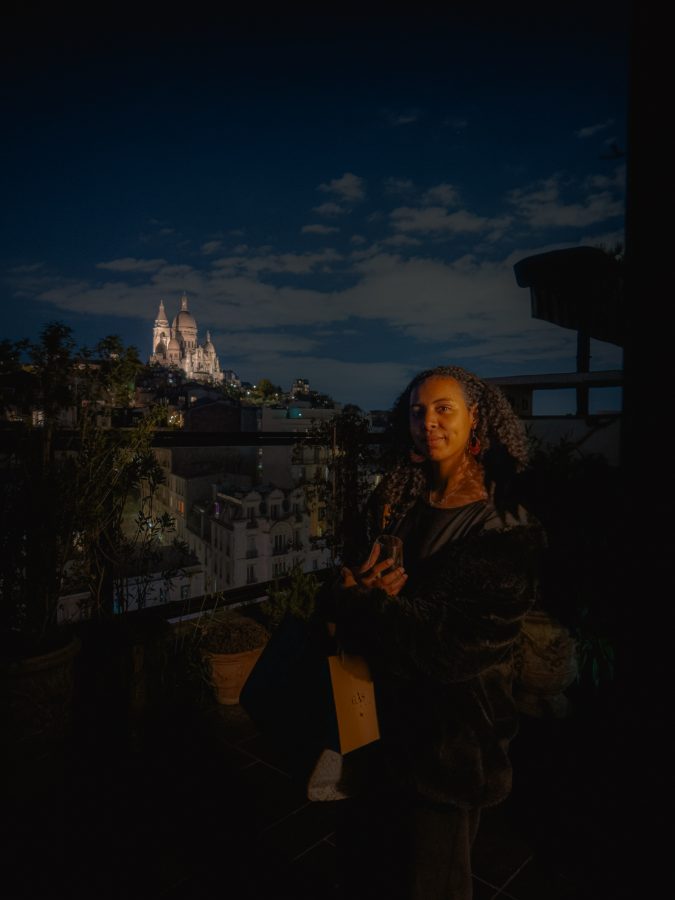
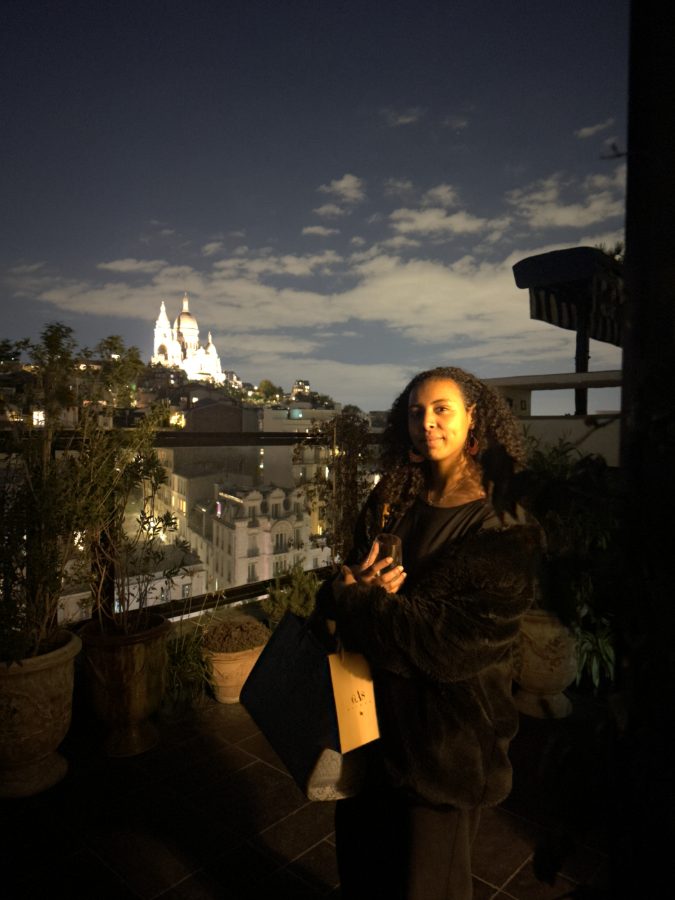
Night portrait, available light only — edited with Neutra
Night portrait, available light only — untouched RAW
BEFORE
AFTER
1x · NIGHTNight portrait, available light only
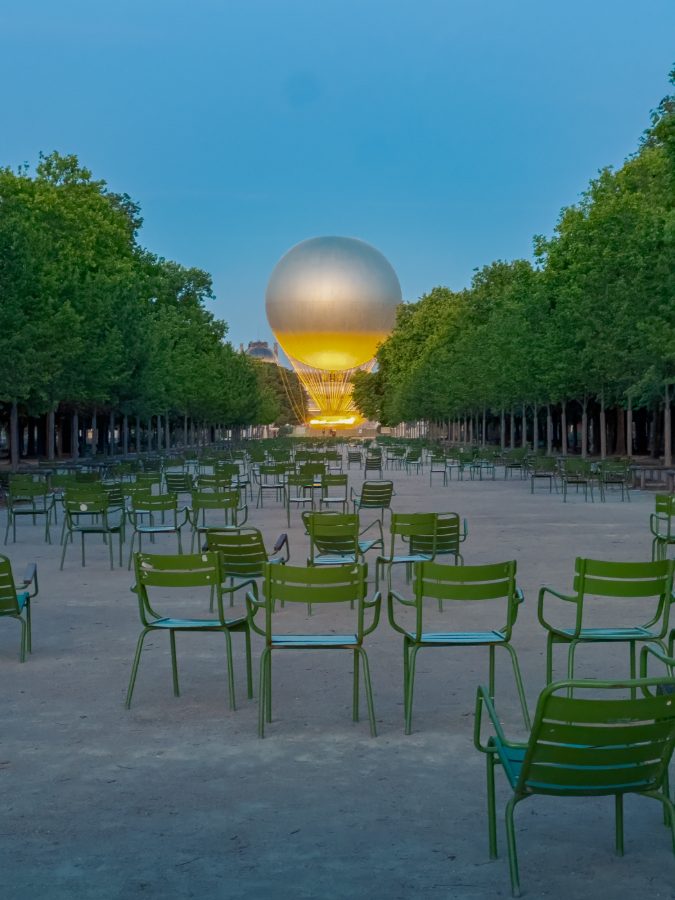
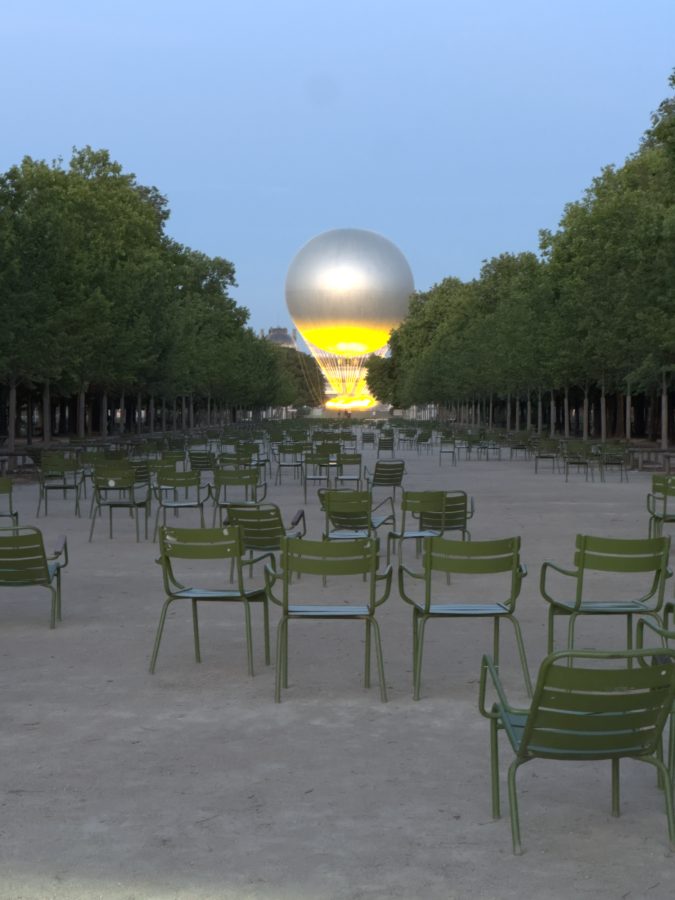
Golden hour, straight into the sun — edited with Neutra
Golden hour, straight into the sun — untouched RAW
BEFORE
AFTER
3x · DAYGolden hour, straight into the sun
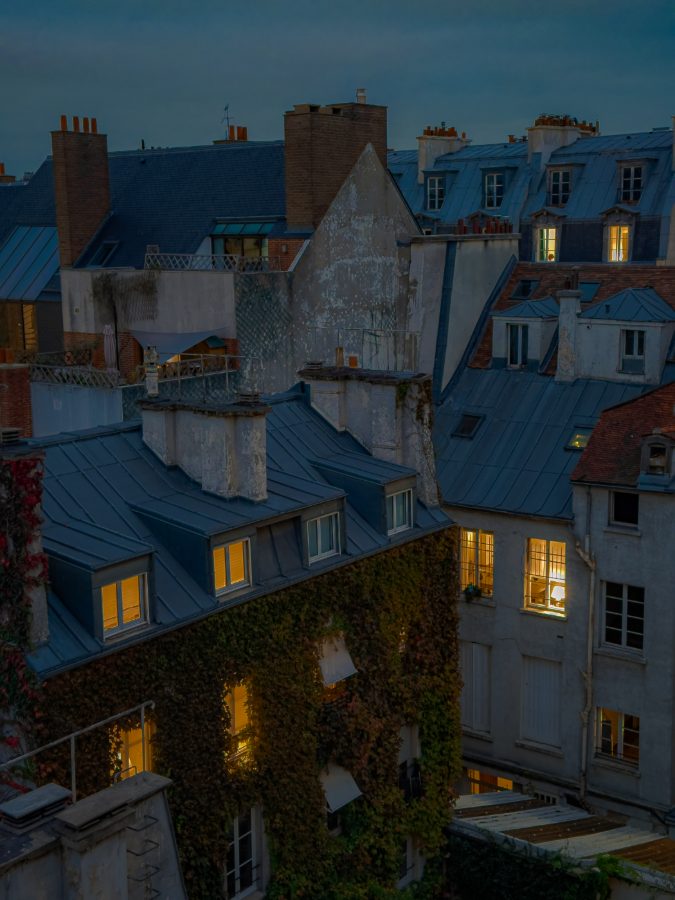
Blue hour over the rooftops — edited with Neutra
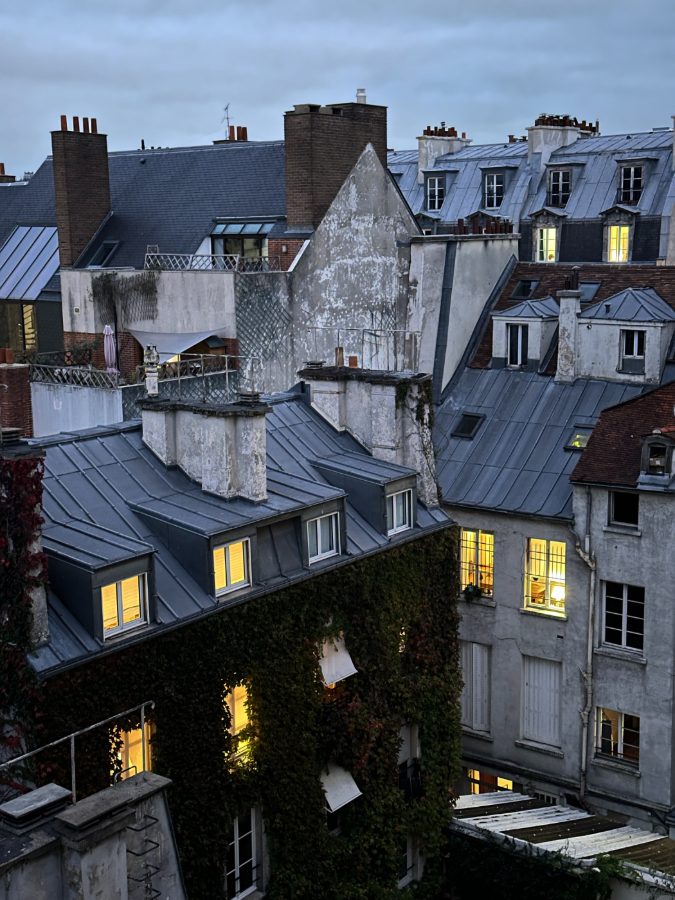
Blue hour over the rooftops — untouched RAW
BEFORE
AFTER
3x · NIGHTBlue hour over the rooftops
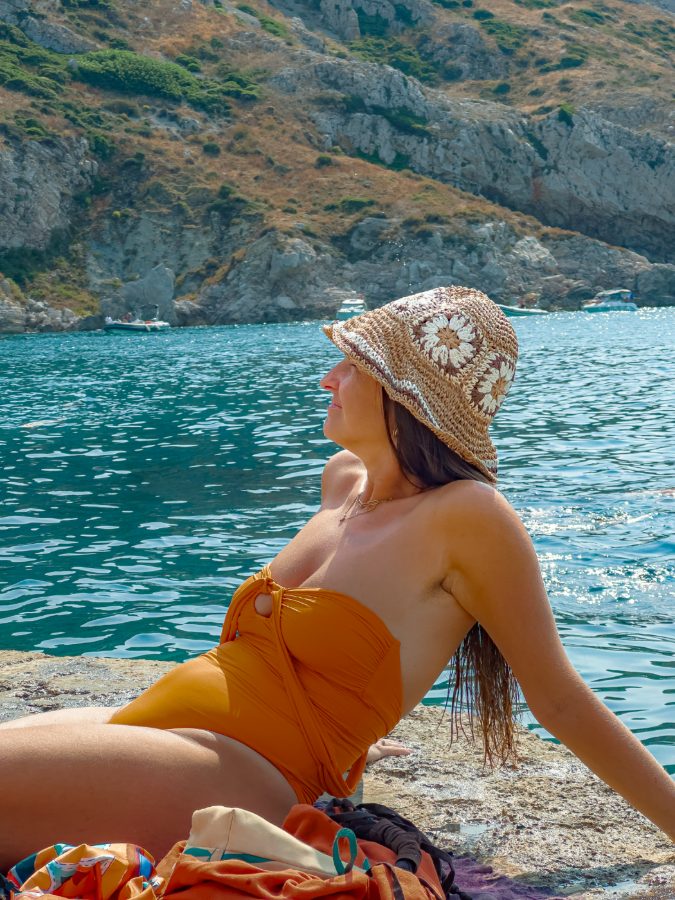
Hard coastal sun, colour everywhere — edited with Neutra
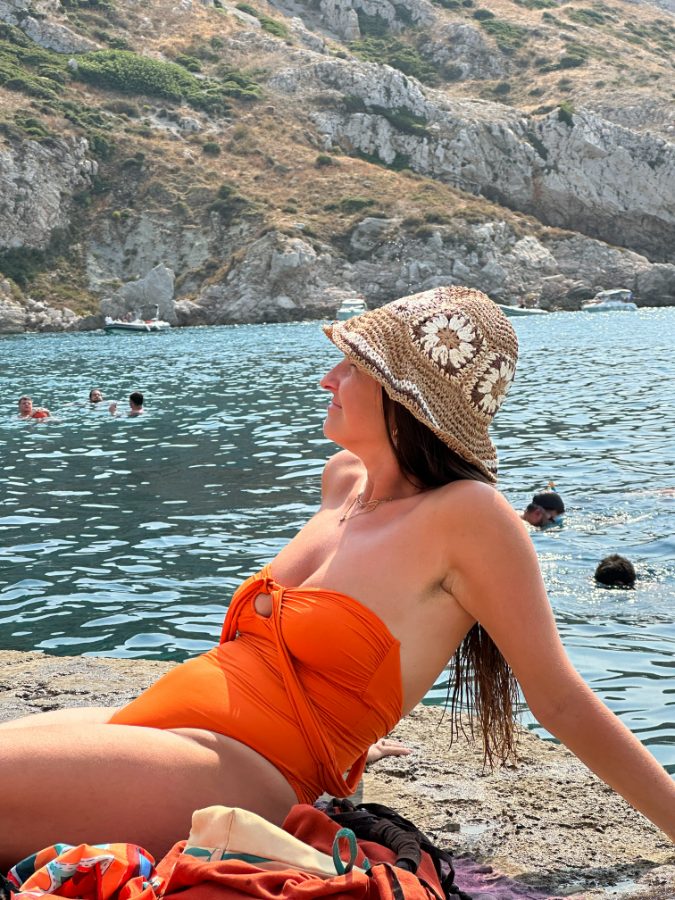
Hard coastal sun, colour everywhere — untouched RAW
BEFORE
AFTER
3x · DAYHard coastal sun, colour everywhere
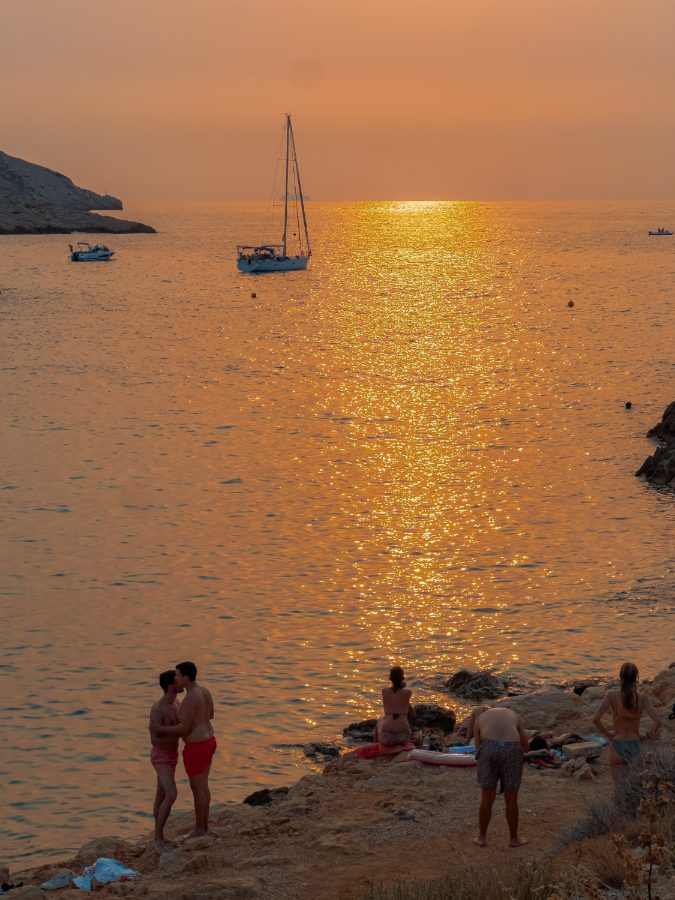
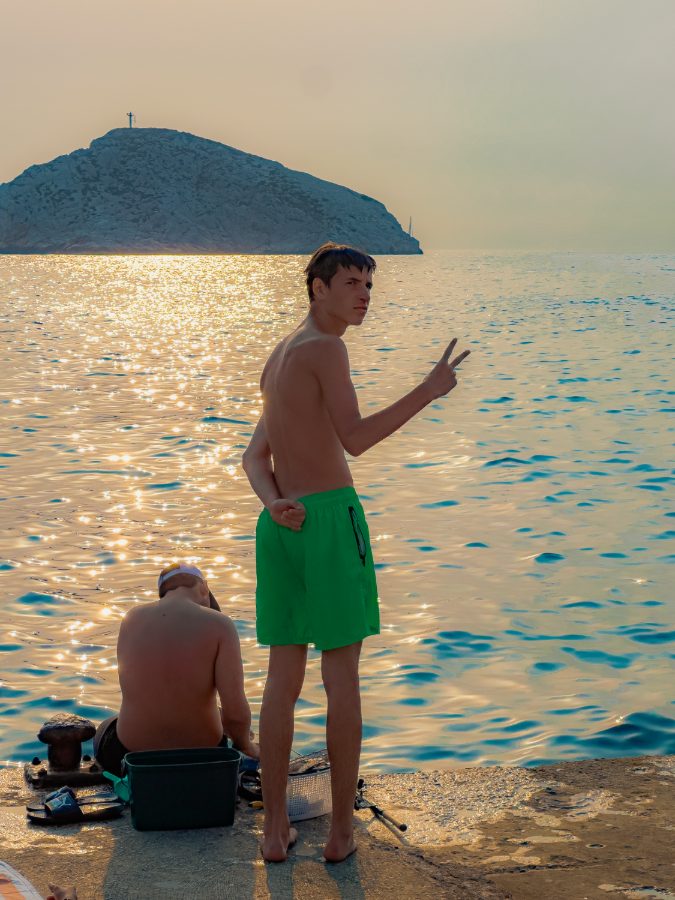
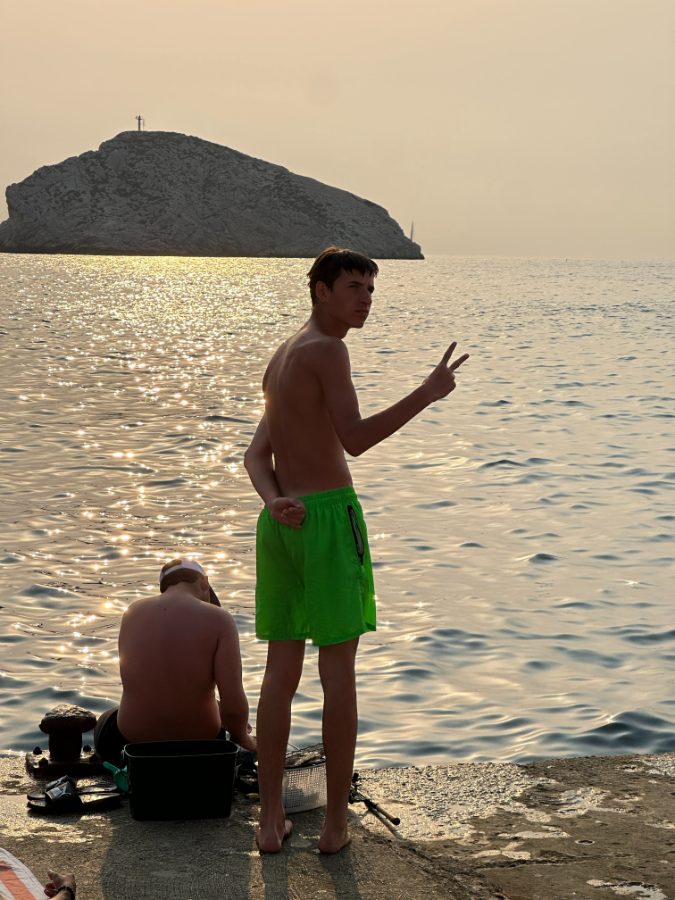
Backlit sea, sun on the water — edited with Neutra
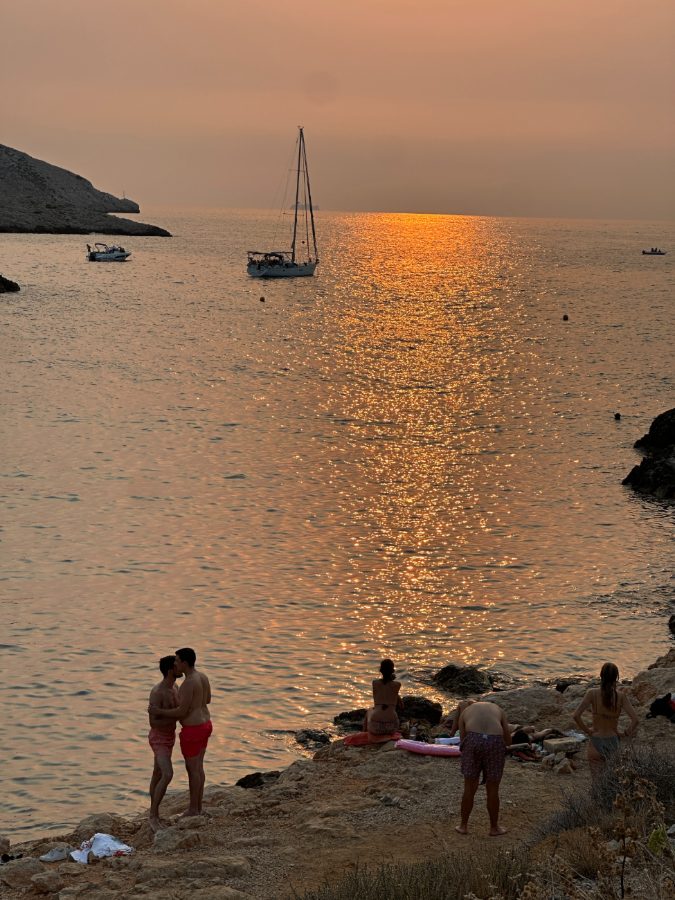
Backlit sea, sun on the water — untouched RAW
BEFORE
AFTER
3x · DAYBacklit sea, sun on the water
City dusk, the last of the light — edited with Neutra
City dusk, the last of the light — untouched RAW
BEFORE
AFTER
3x · NIGHTCity dusk, the last of the light
Deep blue water, hard noon light — edited with Neutra
Deep blue water, hard noon light — untouched RAW
BEFORE
AFTER
3x · DAYDeep blue water, hard noon light
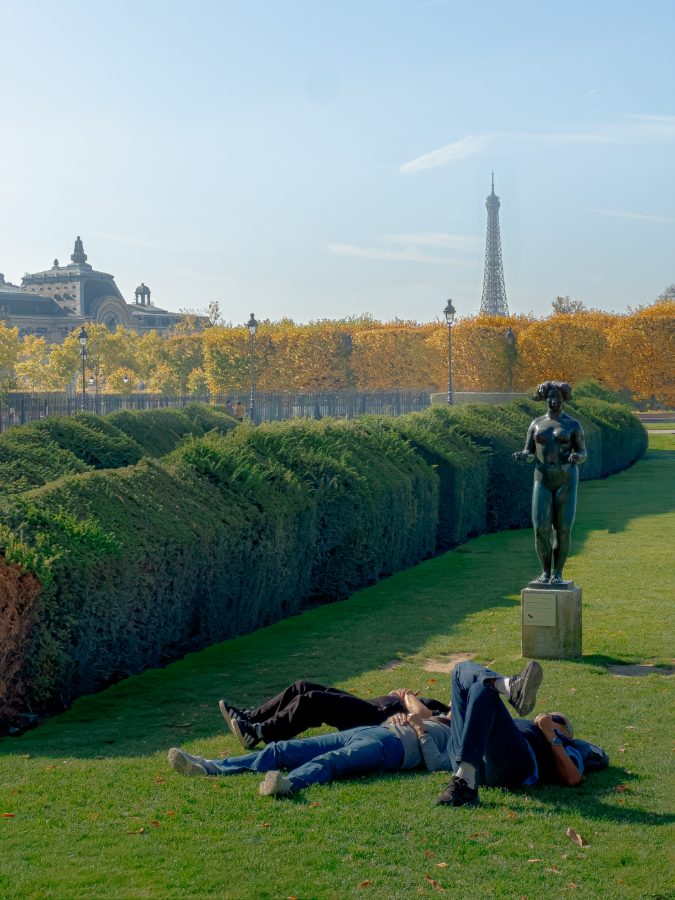
Open park, sun and long shadows — edited with Neutra
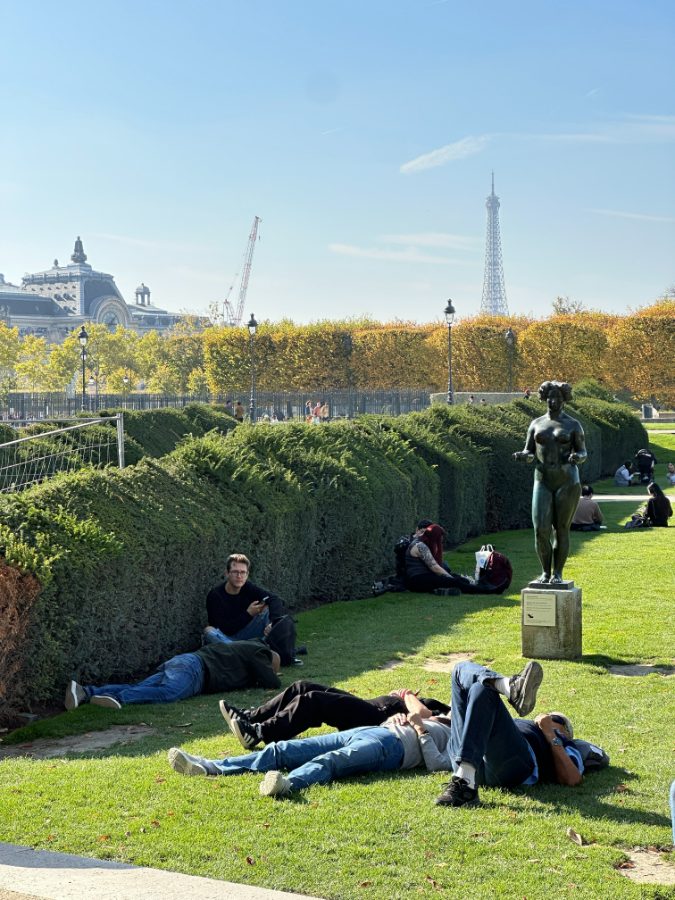
Open park, sun and long shadows — untouched RAW
BEFORE
AFTER
3x · DAYOpen park, sun and long shadows
Clear shallows, midday overhead — edited with Neutra
Clear shallows, midday overhead — untouched RAW
BEFORE
AFTER
3x · DAYClear shallows, midday overhead
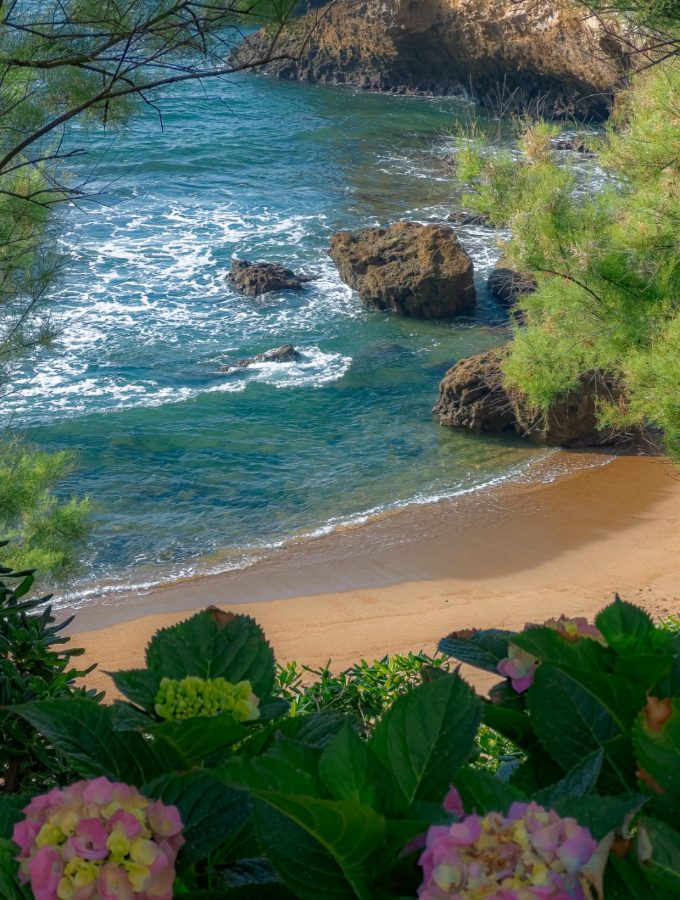
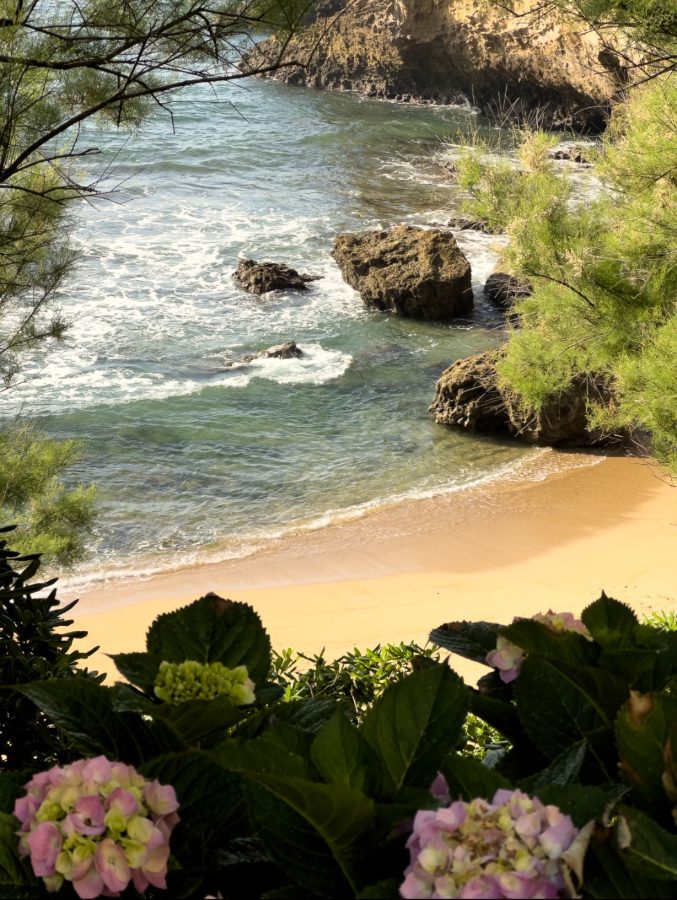
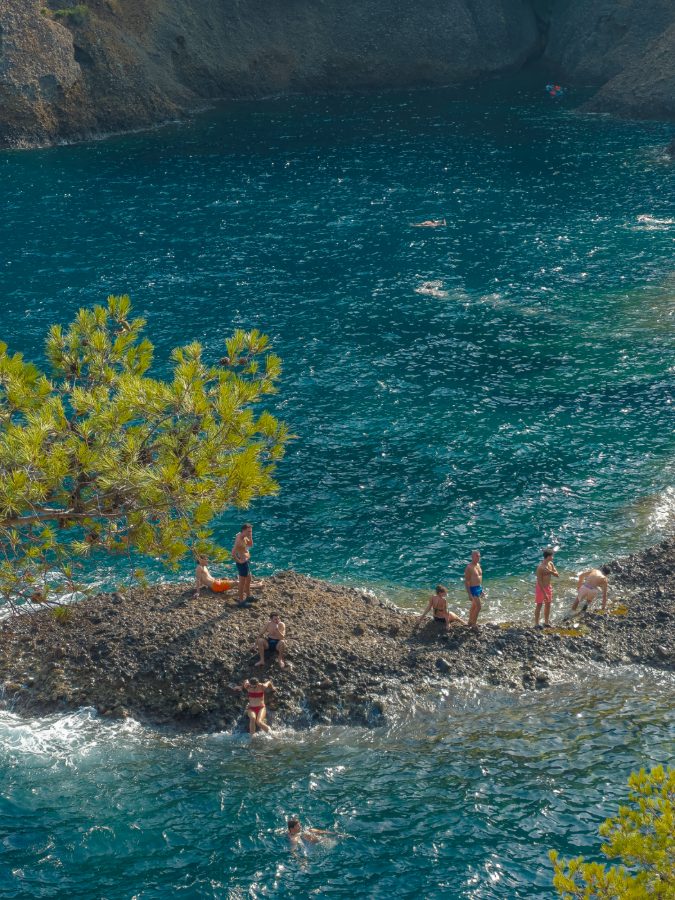
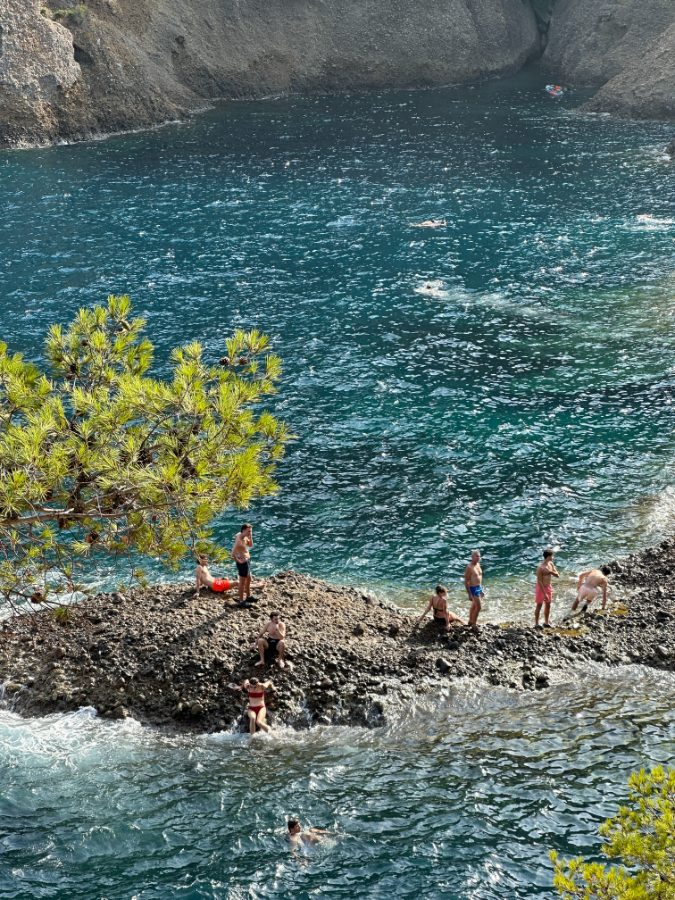
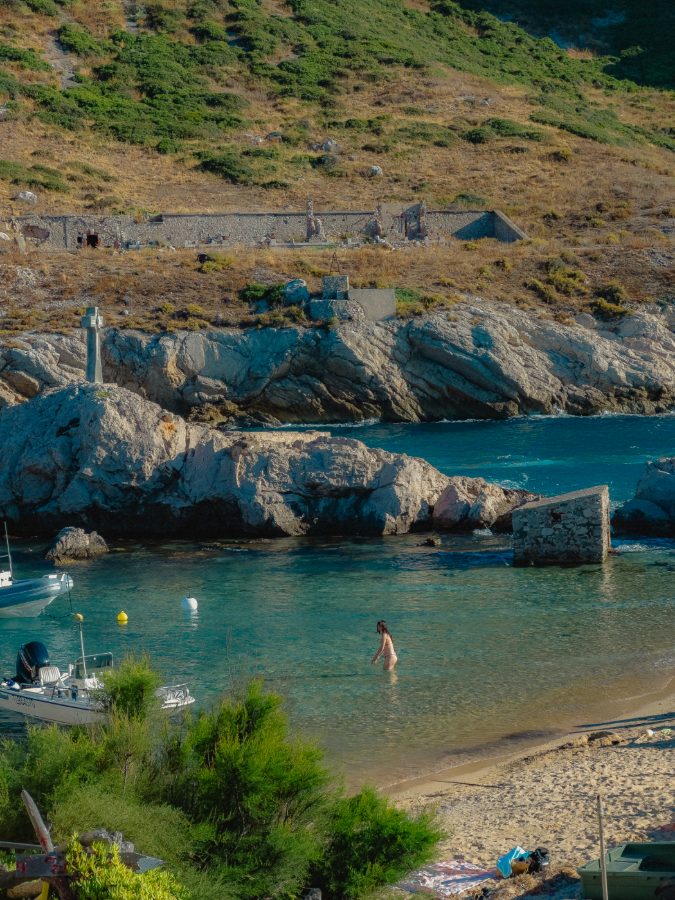
Calanque beach, full daylight — edited with Neutra
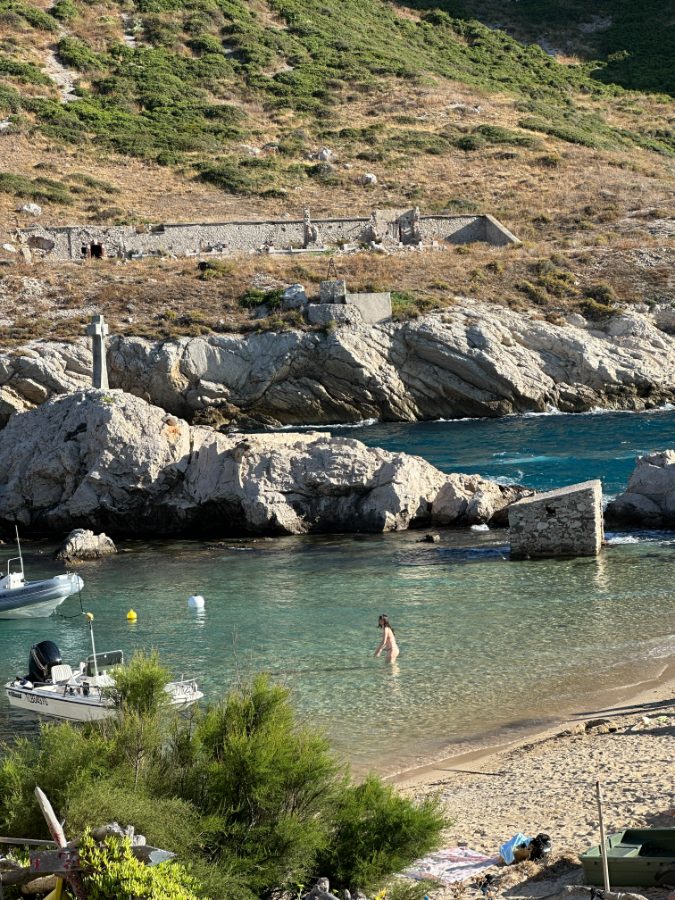
Calanque beach, full daylight — untouched RAW
BEFORE
AFTER
1x · DAYCalanque beach, full daylight
Skin tones against turquoise — edited with Neutra
Skin tones against turquoise — untouched RAW
BEFORE
AFTER
3x · DAYSkin tones against turquoise
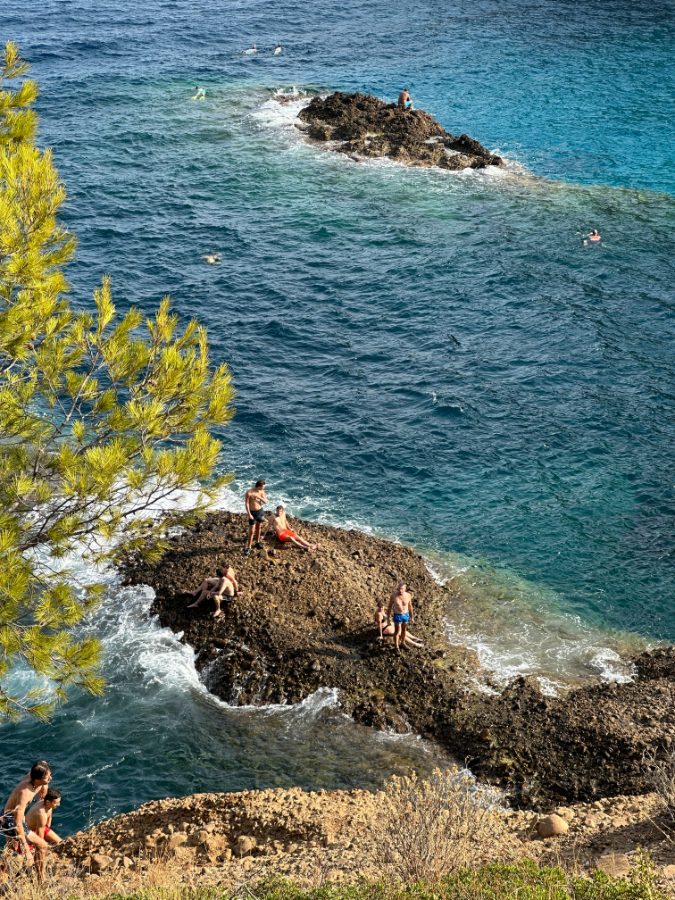
Rock and sea, high contrast — edited with Neutra
Rock and sea, high contrast — untouched RAW
BEFORE
AFTER
3x · DAYRock and sea, high contrast
Twelve of them. Keep dragging — that's the point.
WHAT YOU JUST LOOKED AT

None of that took a computer, a studio, or a second app.
5 min
From opening the photo to posting it. Not one edit on this page took longer.
Phone
Done entirely on the iPhone, in bed or on the train. No laptop, no transfer, no cable.
Free
In the free Lightroom app. No Adobe subscription, nothing else to buy after this.
Every photo you've already taken, and every one you take from now on. No per-use limit, ever.
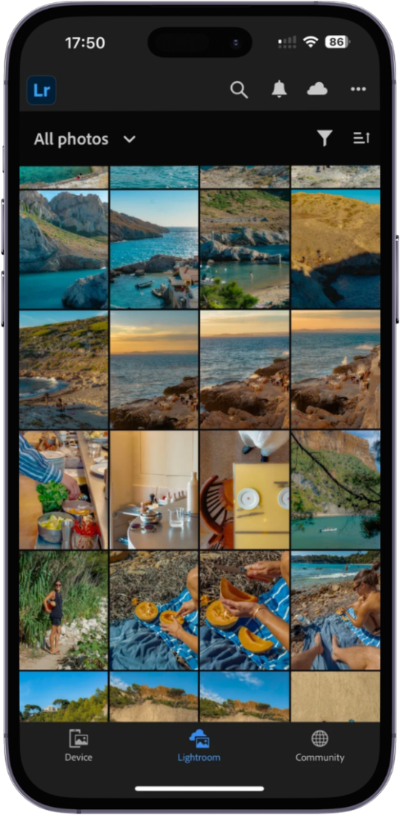
My Lightroom library, all edited on the phone
My whole library, edited on the phone. Consistent from one photo to the next — that's the part a preset gives you that hand-editing never will.
Yours
It's a starting point, not a straitjacket. The preset does the part that takes expertise — you're still free to push it somewhere that looks like you.
Instant download
In your inbox in seconds
Yours for good
Unlimited photos, forever
No subscription
One payment, that's it
UNDER EVERY POST I MAKE

I keep getting the same comment.

Comments
@charlieadt
maelle.rvr how did you edit this??
2 h47 likesReply
tom_bcht what iPhone did you use for this
5 h23 likesReply
claradlmt the colors are insane
1 d112 likesReply
_yanngrd please make a tutorial
1 d8 likesReply
sofia.mrn preset?
2 d19 likesReply
lucas.vdb no way this is a phone
3 d64 likesReply

This page is the answer.

I got tired of typing it out in the replies. Everything I do to a photo is in here.

SOUND FAMILIAR?

You capture the perfect shot. Then Lightroom kills it.

The light was perfect. You open the file and it's flat, grey, lifeless. An hour later you're still dragging sliders — and somehow it looks worse than when you started.

So you buy a preset pack. It makes things worse. VSCO is too limited. Eventually you start to think the problem is you.

THE PART NOBODY TELLS YOU

The problem was never you. It's the file.

ProRAW captures 12-bit color — 4,096 shades per channel, against 256 in a JPEG — and 14 stops of dynamic range. That's more information than most DSLRs. But Apple still bakes its own computational processing into the file before you ever open it, and that processing doesn't behave like a Canon or Nikon sensor.

Every preset you've tried was built for Canon or Nikon files. Running them on ProRAW is like running Android apps on an iPhone. Same idea, wrong architecture.

Neutra was built from zero on iPhone RAW files only. That single decision is the whole difference — and it leads somewhere most preset sellers would rather you didn't look.

18 mo
in development
1,000+
photos tested on
4
builds, one per real case
THE PART THAT'S JUST MARKETING

"Autumn". "Summer". "Winter". It's one preset with the blue turned up.

Open a pack like that and compare the files. The difference between the seasons is a few degrees of temperature and a nudge of tint. That's it. Two sliders you already have, for free, in an app you already own.

And here's the part that gives it away: temperature and tint shouldn't be doing the creative work at all. Their job is to make white actually white. In my own workflow they sit at zero and stay there — I've never moved them to make a look. A pack sold on those two sliders isn't a look. It's a filter with a season written on it.

Nothing about a season changes how your file is built. The lens does. The light does. That's what I spent eighteen months mapping.

The main and the telephoto don't share a sensor and they don't render colour the same way — the telephoto shifts warm, compresses contrast and carries far more noise. Night files aren't dim day files either; Apple's processing behaves differently once the light drops. Four real cases. So there are four builds.

DAY
NIGHT
1x
Main
The reference build — cleanest file of the two
Keeps skin warm without lifting the whole frame
3x
Telephoto
Counters the warm shift, puts contrast back
Rescues the noisiest file your phone makes

Four builds, not four moods. You pick by what you shot with, not by the month.

NO NEW GEAR REQUIRED

Every photo here was shot on an iPhone 14 Pro.

Not the newest model — a phone from 2022. No camera, no lenses, no lighting kit. If you've been telling yourself you need better gear, you don't. You need to know how the file works.

Shot on iPhone 14 Pro, edited with Neutra
WATCH IT HAPPEN

Three taps. That's the whole thing.

No sliders, no color theory, no YouTube rabbit hole.

01
Install the preset — under 10 minutes, fully guided
02
Tap it on your photo — 90% there instantly
03
Export and post. That's it.
Charlie
Charlie
Creator of Neutra · @charlieadt
WHY I BUILT THIS

Two years ago I was spending three hours on a single photo and it still came out flat. I burned over $500 on preset packs. Not one of them worked on iPhone RAW.

Then it clicked: I was using DSLR tools on a file that has nothing to do with a DSLR. I spent the next 18 months reverse-engineering iPhone ProRAW — over a thousand photos, one file type, obsessively.

I lost two years and $500 working this out. You get the shortcut for the price of a lunch.

Don't take my word for any of this

Go look at the account. Two years of iPhone photos, the comments under them, and me answering questions in the replies. It's all public.

Look at @charlieadt
WHAT YOU GET

Everything lands in one download.

The presets
.XMP files, installed straight into Lightroom on mobile or desktop. iPhone 12 Pro → 16 Pro. Which builds you get depends on the pack you pick.
The full ProRAW guide
The complete version of the free quick-start — including the six mistakes that ruin an iPhone RAW file before you ever edit it, and exactly which lighting conditions to shoot in and which to avoid.
Illustrated install guide
A screenshot for every step. Mac, PC, iPad, iPhone.
Quick-start checklist
The three things I do to every photo before touching a single creative slider. Thirty seconds. Skip them and you'll fight the image for half an hour.
Lifetime updates
New versions as the iPhone evolves. Free, forever.

Neutra isn't for everyone.

IT'S FOR YOU IF…
You shoot — or want to shoot — RAW on your iPhone
You're tired of losing an evening to one photo
You want a finished look in under five minutes
You post on Instagram and the aesthetic matters
IT'S NOT FOR YOU IF…
You'd rather tap a one-tap VSCO or Instagram filter
You have an iPhone 11 or older — no ProRAW, it won't work
You're expecting magic that rescues a badly shot photo
NOW THE PRICE

Take one lens, or take the system.

Both are one payment, yours for good. The difference is how much of your camera you want covered.

Starter
Main lens, daylight
$34.99
1 preset — 1x main lens, day build
All three guides + lifetime updates
No telephoto build — half your framing uncovered
No night builds — the hardest light is on you
Get Starter
WHAT I'D BUY
Complete
Both lenses, day and night
$59
+$24 for 4× the presets
4 presets — main and telephoto, each in a day and a night build
The night builds — the ones that make a dark street look like the shot above
All three guides + lifetime updates
Every photo on this page is covered by it
Get Complete — $59
Instant download · yours for good · no subscription
Not sure yet? Read before you buy.

It's a digital file, so I can't take it back once it's downloaded — no refunds, and I'd rather say that upfront than hide it in the small print. So here's the fair version: grab the free settings guide below first. It's the actual thinking behind the preset. If it doesn't convince you I know this file inside out, don't buy anything.

Questions I get a lot

Will it work on my iPhone?+

If you have an iPhone 12 Pro or newer, yes. Quick check: Settings → Camera. If you can switch on Apple ProRAW, you are good. iPhone 11 and older do not have it, and the preset will not do what it is meant to.

Do I need to pay for Lightroom?+

No. The free Lightroom app on iPhone is enough. No Adobe subscription needed.

How is this different from VSCO?+

VSCO only works inside its own app, on an already-processed photo. This works on the RAW file in Lightroom, where the actual data still exists — and it is tuned for how Apple builds that file specifically.

I have bought presets before and they were useless.+

Same. I spent $500 on packs that did nothing on my photos, which is the only reason this exists. I am not going to ask you to trust me — read the free settings guide below. If it does not teach you something you did not know about your own camera, nothing I say here matters.

Is there a limit on how many photos?+

It is for your own photos — a personal licence, unlimited photos, for as long as you like.

I am not technical at all.+

The install guide has a screenshot for every single step. If you still get stuck, email me and I will walk you through it — I answer within a couple of days.

Still not sure? Ask me.

Send it here and it lands straight with me — the person who built the preset.

One person reads these. No newsletter signup, no autoresponder.

FREE GUIDE

Start with the settings.

The quick-start version of my ProRAW guide: why 12-bit ProRAW isn't DSLR RAW, the lighting conditions that make or break a file, and 3 of the 6 mistakes that ruin it before you even open Lightroom. Free, and useful on its own. No spam, and I won't chase you.

Unsubscribe in one tap. I don't share your email with anyone.

Backlit sea, shot on iPhone 14 Pro

Same phone. Better photos.

Starting with the next one you take.

Get Neutra — $34.99
NEUTRA

A preset system for iPhone ProRAW, made by one person — @charlieadt. No agency, no drop-shipped bundle.

Secure checkout by Shopify. Card, Apple Pay, PayPal, Google Pay.

© 2026 Neutra · Charlie Ant
Personal licence included with every purchase.

Built for iPhone RAW
One payment · yours for good
Get Neutra